Kaufland Seller’s Guide 2026: Fees, Requirements, and Selling in Nine European Markets
Kaufland Global Marketplace gives online sellers access to nine European markets with a potential 220 million online customers. This guide shows which requirements and fees apply, how to place your offers successfully, and how to grow your international sales profitably.
Fact-checked on October 7, 2026 · Editorial team: magnalister
CONNECT KAUFLAND WITH MAGNALISTER
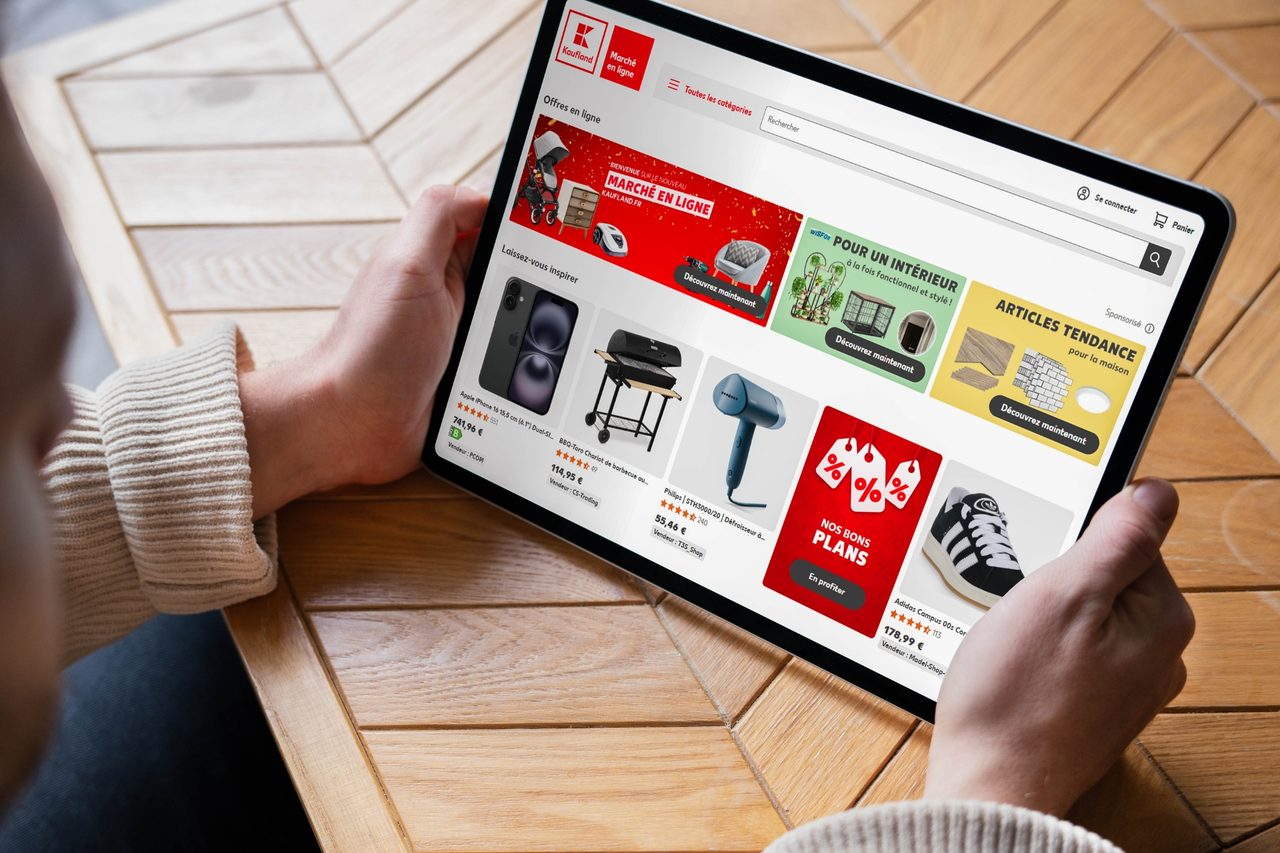
Kaufland Global Marketplace: The Key Facts in Brief
- Reach: One registration opens the door to nine European Kaufland marketplaces. You decide for yourself which countries you sell in.
- Requirements: Selling is reserved for business sellers. To register, you need company, tax, and identity details, among other things.
- Running costs: Besides a monthly subscription fee, you pay sales commissions whose rate depends on the product category and the country of sale.
- Visibility: Competitive total prices, short delivery times, available stock, and complete product data influence your visibility and your chances of selling.
- Scalable processes: With a multichannel integration like magnalister, product, price, inventory, and order data can be synchronized between your online store and the Kaufland marketplaces.
Table of Contents
Kaufland Global Marketplace at a glance
What is Kaufland Global Marketplace?
Kaufland Global Marketplace is the central selling platform for Kaufland’s international marketplaces. In the Seller Portal, sellers publish and manage their offers for the individual country marketplaces. Kaufland provides the technical infrastructure, processes payments, and handles first-level customer service. 1
After an order, you receive the necessary shipping data. Invoicing, shipping, and returns handling remain your responsibility. If a product already exists in the Kaufland catalog, other sellers can link their own offers to the same product page.
Why is the Kaufland marketplace relevant for online sellers?
Kaufland combines high reach in Germany with access to eight other European markets.
Kaufland.de alone records up to 32 million visitors per month, according to the company. More than 15,000 international sellers offer over 45 million products there. 1 The platform covers more than 6,400 categories, making it suitable for many assortments outside traditional grocery retail. 2
The expansion also follows a clear positioning in the European platform competition:
“As a strong alternative to the global e-commerce giants, we are consistently taking the next steps.”
– Gerald Schönbucher, Executive Board member of Kaufland e-commerce, translated from German 1
For sellers, however, the advantage lies not only in reach. Through the shared infrastructure, they can extend existing offers to additional countries without building a completely separate selling system for each market.
Assortments, product data, and offer logic on the Kaufland marketplace
Which products can sellers sell on the Kaufland marketplace?
The Kaufland marketplace covers a broad product range with more than 6,400 categories. The most important areas include: 2
- Electronics: computers, consumer electronics, and household appliances
- Home and living: furniture, lighting, kitchen, and household supplies
- Leisure: garden, DIY, sports, outdoor, and bicycles
- Consumer goods: fashion, toys, baby products, pet supplies, and personal care
Kaufland requires an official EAN or GTIN for all products. The item must also not belong to a prohibited category. For regulated products, additional certificates, labeling, and safety information may be required. 3
How do product data and offer data differ on Kaufland?
Kaufland separates the general information about the product from the terms of the individual seller. The following comparison shows which details belong to each of the two data levels. 4, 5
| Data level | Typical details | Function |
|---|---|---|
| Product data | GTIN, title, brand, description, attributes, images, and manufacturer details | Describe the item in the shared product catalog |
| Offer data | Price, stock, condition, delivery time, and shipping costs | Define the terms of the respective seller |
If a product already exists in the catalog, you simply link your own offer to it. For new products, complete product data has to be created first.
How does the BuyBox work on the Kaufland marketplace?
If several sellers offer the same catalog product, the BuyBox determines which offer is preselected on the product page. Customers thus order directly from the highlighted seller, but can also view the other available offers. 6
How do you win the BuyBox on Kaufland?
For the BuyBox, offer price, shipping costs, and delivery time matter most. Also keep your stock levels up to date so that the selected offer actually remains deliverable. Kaufland doesn’t publish an exact weighting of the individual factors. 6
With Smart Pricing, you can adjust your offer price automatically to the competitive situation. To do so, set a calculated minimum price that protects your costs and target margin. This improves your pricing chances without dropping below the defined floor. 7
Kaufland fees and profitable margin calculation
Which fees apply when selling on Kaufland Global Marketplace?
To sell, you pay a monthly subscription fee and a category-based sales commission. Product listings are already included in the subscription fee and are not an additional cost item. The following overview shows the key seller fees of Kaufland Global Marketplace: 8
| Cost item | Amount | Basis of calculation |
|---|---|---|
| Monthly subscription fee | €39.95 net (Basic) or €59.95 net (Plus) | one subscription fee for access to all Kaufland marketplaces |
| Sales commission | 7–16% | category-based, on the gross selling price including shipping |
| Sales commission in Poland | 4–12% | category-based, on the gross selling price including shipping |
| Media fee | €0.70 per item | additionally for certain media products |
Which commission rate applies depends on the product category and the country of sale. VAT is charged on top of the calculated sales commission. As of August 31, 2026, Kaufland lists a monthly credit of €30 for Sponsored Product Ads for both plans. Since Kaufland can change or end this promotion, the credit should be left out of any long-term calculation. 8
How do you calculate the margin of a Kaufland sale?
What counts for your profitability is the amount left after all variable and allocated fixed costs. The following example assumes a gross selling price of €119.00, 19% VAT, a sales commission of 13%, and entitlement to deduct input VAT.
| Item | Calculation | Amount |
|---|---|---|
| Gross selling price including shipping | €119.00 | |
| Net revenue | €119.00 ÷ 1.19 | €100.00 |
| Kaufland commission | 13% of €119.00 | −€15.47 |
| Cost of goods | −€45.00 | |
| Shipping and packaging | −€9.00 | |
| Advertising | −€3.00 | |
| Returns reserve | 3% of net revenue | −€3.00 |
| Share of subscription fee | €39.95 ÷ 50 sales | −€0.80 |
| Contribution margin | €23.73 |
Since Kaufland calculates the commission on the gross selling price of €119.00, €15.47 (not €13.00) is due on net revenue of €100.00.
After all the costs assumed, a contribution margin of €23.73 or 23.7% remains. It can serve as the basis for the minimum price in Smart Pricing. Costs for warehousing, staff, and returns handling have to be considered on top.
Opportunities, challenges, and seller fit on the Kaufland marketplace
What advantages does the Kaufland marketplace offer sellers?

Kaufland offers above all reach and comparatively easy access to several European markets. Further advantages are:
- One account for nine markets: Offers can be activated specifically for individual Kaufland countries.
- Supporting services: Kaufland handles payment processing and first-level customer service.
- Translation features: Product data and legal texts can be translated automatically into the respective local language. 3
- Existing product catalog: If an item already exists, you only add your own offer.
What challenges come with selling on Kaufland?
Selling requires competitive prices, reliable processes, and sufficient margin. Particularly relevant are:
- BuyBox competition: For identical products, sellers compete directly for the preselected offer. 6
- Country-specific obligations: Legal texts, taxes, product safety, and EPR requirements differ by target market.
- Monthly fixed costs: The subscription fee is charged regardless of the number of sales. 8
Which sellers is the Kaufland marketplace right for?
Kaufland is particularly interesting for sellers in electronics, home and living, household, garden, DIY, sports, and personal care. According to the company, electronics generates around a quarter of the German marketplace’s revenue. Personal care and health have recently developed particularly dynamically. 1
Whether selling pays off depends above all on category, competition, and the available room on price and margin. The following comparison offers Kaufland-specific orientation.
| Dimension | Good conditions | Check more closely |
|---|---|---|
| Assortment | electronics, home and living, household, garden, DIY, sports, or personal care | customized products or low demand in the Kaufland categories |
| Margin potential | sufficient contribution margin after commission and other selling costs | thin margin, especially in categories with 14–16% commission |
| Competition | competitive total price and short delivery time | profitable only at prices well above competing offers |
| Internationalization | assortment can be offered in several Kaufland countries | strong national particularities or high effort for country-specific obligations |
Registration and getting started on Kaufland
Which requirements do Kaufland sellers have to meet?
To register, you need a registered business as well as valid company, identity, and tax details. On top of that come reachable customer support, a return address within the EU, and official GTINs for your products. Product data and customer communication must be available in the language of the respective Kaufland marketplace. 3
How do you get started in the Kaufland Seller Portal?
Getting started takes just a few steps: 4
- Register your seller account and select your preferred main sales channel
- Submit your company details and the required documents
- Set up shipping groups and delivery terms
- Upload product and offer data
- Add legal texts and return settings
- Review your offers and activate them for the desired countries
Kaufland then reviews the submitted documents. Complete details and documents allow a quick activation of the seller account, often within three business days.
How do payouts work on Kaufland?
Kaufland processes the customer payment and credits the proceeds to your seller account. With documented delivery, the money is released 14 days after delivery. Without a tracking number, it is released 21 days after the shipping confirmation. Open customer tickets can delay the payout. 9
Who handles shipping and returns on Kaufland?
Shipping, invoicing, and returns handling are the seller’s responsibility. You set shipping costs and delivery times, transmit the shipment status, and process returns in the Seller Portal. A return address within the EU is required to sell. 3, 9, 10
Which legal obligations apply when selling on Kaufland?
You must comply with both the general EU rules and the rules of the respective target country. Particularly relevant are:
- Product safety: The GPSR requires manufacturer details and the necessary warning and safety information in the online offer, among other things. For manufacturers outside the EU, details of the responsible person in the EU must also be provided. 11
- Packaging: For Germany, registration in the LUCID packaging register and participation in a dual system are required. Other countries of sale have their own EPR requirements. 12
- VAT: For cross-border B2C sales within the EU, the One-Stop-Shop scheme can enable central reporting and payment of VAT. 13
- Price indication: Total prices, unit prices, and price reductions must comply with the German Price Indication Ordinance (PAngV) and the corresponding rules of the other countries of sale. 14
Automatic translations make internationalization easier, but they are no substitute for a legal review of the country-specific texts and product details.
Visibility and service performance on the Kaufland marketplace

How do you improve the visibility of your Kaufland offers?
Complete and correct product data is the basis for offers that can be found. Use unambiguous product titles, meaningful images, precise descriptions, and attributes filled in as completely as possible. Variations must be assigned correctly and content adapted linguistically for each target market. A valid GTIN ensures that the offer is assigned to the matching catalog product. 5
Price and delivery time additionally influence your chances of winning the BuyBox. Before you buy additional reach, product data, stock, and offer terms should therefore be right.
How do Sponsored Ads work on Kaufland?
With Sponsored Product Ads, sellers can highlight individual products in labeled ad placements. Billing is per click, while an auction decides on delivery. If several sellers share a product page, only the offer that currently holds the BuyBox can be advertised. 15
Sponsored Brand Ads present several products together with a brand logo and advertising message. For this, you must be verified as the brand owner or authorized to use the brand. Campaigns should focus on products with sufficient margin, reliable stock, and a competitive offer.
Which service KPIs should Kaufland sellers watch?
Kaufland evaluates, among other things, delivery reliability, cancellations, shipment tracking, and the handling of customer inquiries. Sellers should respond to new tickets within 48 hours. Weekends and nationwide public holidays are taken into account for this metric. 16
So keep stock levels and delivery times up to date, transmit valid tracking data, and channel customer inquiries into a clear handling process. This way you avoid overselling, late deliveries, and unanswered customer inquiries.
Selling internationally through Kaufland Global Marketplace
In which countries can sellers sell through Kaufland?
Kaufland Global Marketplace comprises nine European country marketplaces: Germany, Austria, Poland, Czechia, Slovakia, France, Italy, Spain, and the Netherlands. After the central registration, you decide which countries to activate your offers for. 1, 3
Not every assortment has to launch on all marketplaces at once. A step-by-step expansion is often more sensible: first choose countries where demand, price level, shipping costs, and regulatory effort fit your business model.
What do you need to adapt for additional Kaufland marketplaces?
An additional country of sale requires more than translating existing product descriptions. Before activation, you should check the following areas:
| Area | Required adaptation |
|---|---|
| Product data | titles, descriptions, attributes, and safety information in the respective local language |
| Prices | local currency, commission rate, taxes, and a market-appropriate price level |
| Shipping | achievable delivery times, shipping costs, tracking, and returns route |
| Customer service | communication in the language of the respective marketplace |
| Legal and tax | legal texts, VAT, product safety, and national EPR obligations |
Kaufland supports sellers with automatic translations of product data and legal texts. The content should nevertheless be reviewed by experts, since translations offer no guarantee of legally compliant or product-specific correct details. 3, 11, 12, 13
Multichannel selling: scaling your Kaufland business with magnalister automation
How does magnalister’s Kaufland integration automate multichannel selling?
magnalister connects Shopify, Shopware, WooCommerce, and Adobe Commerce (Magento 2), among others, with the Kaufland marketplaces. 17 Through the established integration, you control product, order, and shipping data centrally from your store system.
The key features of magnalister’s Kaufland integration include:
- Product upload: Prepare items from your online store for Kaufland and publish them
- Category mapping: Assign products to the matching categories and attributes
- Price and inventory synchronization: Synchronize changes between store and marketplace regularly
- Order import: Bring Kaufland orders into your familiar order management
- Shipping handling: Report shipping status and tracking information back to Kaufland
Especially with larger assortments, central data maintenance reduces duplicate work and the risk of diverging stock levels. At the same time, you gain additional reach and reduce your dependence on individual national markets.
You’ll find more details on setup and features in the article about magnalister’s Kaufland integration.
Conclusion: Kaufland bundles selling in nine European markets
Kaufland Global Marketplace combines a central registration with access to nine European country marketplaces. Assortments from high-reach categories such as electronics, garden, and household in particular can benefit from the existing demand and the additional markets.
Profitable expansion requires sufficient contribution margins, reliable cross-border processes, and a targeted selection of sales markets. With growing assortments and additional Kaufland countries, a central integration through magnalister reduces the manual maintenance effort.
TRY MAGNALISTER FREE FOR 30 DAYS
FAQ: Common questions about the Kaufland marketplace
Can private individuals sell on the Kaufland marketplace?
No, selling is reserved for business sellers. To register, Kaufland requires company, identity, and tax details. 3
What does it cost to sell on the Kaufland marketplace?
The Basic plan costs €39.95 net per month, the Plus plan €59.95 net. On top comes a category-based sales commission of 7–16% on the gross selling price including shipping. For certain media items, Kaufland additionally charges €0.70 per item sold. 8
Do products on Kaufland need an EAN or GTIN?
Yes, Kaufland requires an official EAN or GTIN for the products offered. The identifier serves the unambiguous assignment to the product catalog. 3
How do sellers win the BuyBox on Kaufland?
For the BuyBox, offer price, shipping costs, and delivery time in particular matter. However, Kaufland doesn’t publish an exact weighting of the individual factors. Up-to-date stock levels and a calculated minimum price help you stay competitive without lowering your margin uncontrollably. 6, 7
Does Kaufland handle shipping and returns?
No, shipping and returns handling remain the seller’s responsibility. You set the delivery terms, transmit tracking data, and need a return address within the EU. 10
When does Kaufland pay out sales proceeds?
With documented delivery, the sales proceeds are released 14 days after delivery. Without a tracking number, they are released 21 days after the shipping confirmation. Open customer tickets can delay the payout. 9
Can sellers sell internationally through Kaufland?
Yes, one central registration opens the door to nine European Kaufland marketplaces. Besides Germany, these are Austria, Poland, Czechia, Slovakia, France, Italy, Spain, and the Netherlands. Each target market must be set up separately and checked for language, shipping, taxes, and legal requirements. 1, 3
Which store systems can be connected to the Kaufland marketplace?
Through magnalister, you can connect Kaufland Global Marketplace to Shopify, Shopware, PrestaShop, WooCommerce, Adobe Commerce (Magento 2), Gambio, and xt:Commerce, among others. All product, inventory, and order data is then managed centrally from the back end of your store system.
- 1 Kaufland: „Mehr Europa, mehr Auswahl: Kaufland-Marktplatz kommt nach Spanien und in die Niederlande“, June 11, 2026, expansion to nine European marketplaces, potential reach, Kaufland.de figures, revenue by category, and quote by Gerald Schönbucher (German, no English version), accessed October 7, 2026, https://unternehmen.kaufland.de/presse/newsroom/2026/juni/mehr-europa-mehr-auswahl-kaufland-marktplatz-kommt-nach-spanien-und-in-die-niederlande ↩︎1.a, ↩︎1.b, ↩︎1.c, ↩︎1.d, ↩︎1.e, ↩︎1.f
- 2 Kaufland Global Marketplace: “Kaufland Global Marketplace”, number of marketplaces and categories, central management via the Seller Portal, and services for sellers, accessed October 7, 2026, https://www.kauflandglobalmarketplace.com/en/ ↩︎2.a, ↩︎2.b
- 3 Kaufland Global Marketplace: “Seller Registration”, requirements, documents, GTIN requirement, return address, country-specific product data and legal texts, and choice of sales channels, accessed October 7, 2026, https://www.kauflandglobalmarketplace.com/en/seller-registration/ ↩︎3.a, ↩︎3.b, ↩︎3.c, ↩︎3.d, ↩︎3.e, ↩︎3.f, ↩︎3.g, ↩︎3.h, ↩︎3.i
- 4 Kaufland Seller University: “Onboarding”, setup of sales channels, shipping groups, offer and product data, tax information, and further steps up to the sales launch, accessed October 7, 2026, https://www.kauflandglobalmarketplace.com/en/seller-university/registration/onboarding/ ↩︎4.a, ↩︎4.b
- 5 Kaufland Seller University: “General” (product data), distinction between product and offer data, mandatory attributes, catalog assignment, variations, and the influence of data quality on findability, accessed October 7, 2026, https://www.kauflandglobalmarketplace.com/en/seller-university/selling/product-data/general/ ↩︎5.a, ↩︎5.b
- 6 Kaufland Seller University: “BuyBox”, how the BuyBox works and the role of price, shipping costs, and delivery time for sales chances, accessed October 7, 2026, https://www.kauflandglobalmarketplace.com/en/seller-university/your-performance/buybox/ ↩︎6.a, ↩︎6.b, ↩︎6.c, ↩︎6.d
- 7 Kaufland Seller University: “Smart Pricing”, automatic price adjustment, Smart Pricing models, minimum price, and activation in the Seller Portal, accessed October 7, 2026, https://www.kauflandglobalmarketplace.com/en/seller-university/selling/smart-pricing/ ↩︎7.a, ↩︎7.b
- 8 Kaufland Global Marketplace: “Fair conditions and transparent fees for sellers”, monthly subscription fees, sales commissions by category and country of sale, commission basis, media fee, and current advertising credit, accessed October 7, 2026, https://www.kauflandglobalmarketplace.com/en/conditions/ ↩︎8.a, ↩︎8.b, ↩︎8.c, ↩︎8.d
- 9 Kaufland Seller University: “Payment”, calculation and settlement of the commission, invoicing by sellers, and release and payout of sales proceeds, accessed October 7, 2026, https://www.kauflandglobalmarketplace.com/en/seller-university/selling/payment/ ↩︎9.a, ↩︎9.b, ↩︎9.c
- 10 Kaufland Seller University: “Returns Settings”, returns handling in the Seller Portal, available return models, return labels, and processing of refunds, accessed October 7, 2026, https://www.kauflandglobalmarketplace.com/en/seller-university/selling/settings/returns-settings/ ↩︎10.a, ↩︎10.b
- 11 European Parliament and Council of the European Union: “Regulation (EU) 2023/988 on general product safety”, requirements for product safety, manufacturer details, responsible persons, and warning and safety information in distance selling, accessed October 7, 2026, https://eur-lex.europa.eu/eli/reg/2023/988/oj/eng ↩︎11.a, ↩︎11.b
- 12 Zentrale Stelle Verpackungsregister: “Registration with LUCID: Frequently Asked Questions”, registration obligation in the packaging register and the link between registration number, system participation, and data reports, accessed October 7, 2026, https://www.verpackungsregister.org/en/help/registering-in-lucid ↩︎12.a, ↩︎12.b
- 13 European Commission: “EU VAT One Stop Shop (OSS)”, central reporting and payment of VAT for cross-border B2C sales within the EU, accessed October 7, 2026, https://europa.eu/youreurope/business/finance-and-tax/vat/one-stop-shop/index_en.htm ↩︎13.a, ↩︎13.b
- 14 Federal Ministry of Justice: „Preisangabenverordnung“, legal requirements for total prices, unit prices, and price reductions toward consumers (German, no official English translation), accessed October 7, 2026, https://www.gesetze-im-internet.de/pangv_2022/ ↩︎
- 15 Kaufland Seller University: “Sponsored Ads – General Information”, how Sponsored Ads work, requirements, ad formats, per-click billing, BuyBox requirement, and campaign management, accessed October 7, 2026, https://www.kauflandglobalmarketplace.com/en/seller-university/your-performance/sponsored-ads/sponsored-ads-general-information/ ↩︎
- 16 Kaufland Seller University: “Customer service KPIs”, ticket response time, consideration of weekends and public holidays, seller-caused ticket rates, and cancellation metrics, accessed October 7, 2026, https://www.kauflandglobalmarketplace.com/en/seller-university/your-performance/service-performance/customer-service-kpis/ ↩︎
- 17 RedGecko GmbH (magnalister): “magnalister – Easily Get Your Products Into Amazon, eBay and More”, supported shop systems and marketplaces as well as features for product upload, attribute matching, price and inventory synchronization, order import and order status synchronization, accessed October 7, 2026, https://www.magnalister.com/en/ ↩︎